

About Grammarly
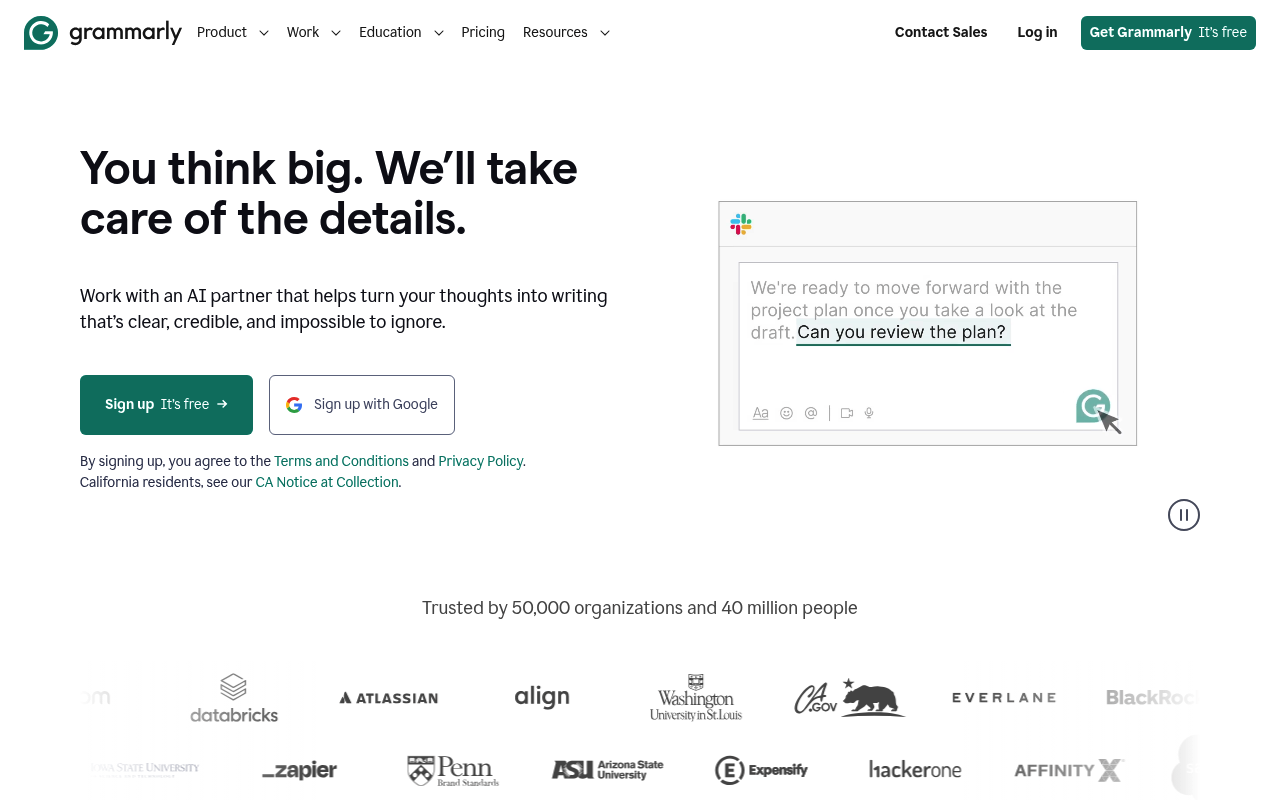
Grammarly is a comprehensive AI-powered writing assistant that goes beyond basic grammar and spell checking to provide advanced writing support. The platform offers real-time grammar corrections, style suggestions, tone detection, and plagiarism checking across multiple platforms and applications. Its AI technology analyzes writing context to provide personalized recommendations for clarity, engagement, and effectiveness. In 2025, Grammarly has significantly expanded its capabilities with generative AI features that allow users to create and refine content effortlessly. The platform now includes Grammarly Authorship with advanced authorship tracking in Microsoft Word, speedy citations, and comprehensive AI detection tools. Users can generate drafts for emails, reports, and creative content by specifying tone, voice, and intent, making it an essential tool for professional writers, teams, and non-native speakers seeking to improve their written communication.
Pros & Cons
Pros
- Works everywhere
- Excellent grammar checking
- Tone detection
- Widely trusted
Cons
- AI generation limited
- Can be overzealous
- Premium expensive
- Privacy concerns
Best For
In-Depth Analysis of Grammarly
A comprehensive look at features, pricing, and everything you need to know.
Grammarly Review 2025: The Ultimate AI Writing Assistant That Actually Gets It Right
In an era where clear, professional communication can make or break careers, Grammarly has evolved from a simple grammar checker into a sophisticated AI-powered writing companion that's transforming how millions of people write. Whether you're crafting an important email, polishing a research paper, or generating content for your business, the quality of your writing speaks volumes about your professionalism and attention to detail.
Grammarly stands as one of the most trusted writing assistants in the world, with over 30 million active users relying on its AI-driven insights to enhance their written communication. What started as a straightforward grammar and spell-checking tool has blossomed into a comprehensive writing platform that offers everything from tone detection to generative AI capabilities, making it an indispensable tool for professionals, students, and non-native speakers alike.
In 2025, Grammarly has significantly expanded its arsenal with groundbreaking features like advanced authorship tracking, enhanced plagiarism detection, and powerful generative AI tools that can help you create content from scratch. These innovations position Grammarly not just as a proofreading tool, but as a complete writing ecosystem that adapts to your unique voice and writing goals.
What is Grammarly?
Grammarly is a comprehensive AI-powered writing assistant developed by Grammarly Inc., founded in 2009 by Alex Shevchenko, Max Lytvyn, and Dmytro Lider. The platform was created with a simple yet ambitious mission: to improve lives by improving communication. What began as a tool to help non-native English speakers write better has evolved into a sophisticated AI system that serves writers of all skill levels and backgrounds.
At its core, Grammarly uses advanced natural language processing and machine learning algorithms to analyze text in real-time, providing suggestions for grammar, spelling, punctuation, style, tone, and clarity. The platform integrates seamlessly across multiple applications and platforms, including web browsers, Microsoft Office, Google Docs, mobile devices, and desktop applications, ensuring that users receive writing assistance wherever they work.
In 2025, Grammarly has embraced generative AI technology to offer users the ability to create content from scratch, not just improve existing text. The platform now includes Grammarly Authorship, a revolutionary feature that tracks contributions in collaborative documents, identifies AI-generated content, and provides comprehensive authorship reports. This evolution reflects Grammarly's commitment to staying at the forefront of AI-assisted writing while maintaining transparency and authenticity in digital communication.
The company's approach goes beyond simple error correction. Grammarly's AI analyzes context, understands intent, and provides personalized recommendations that help users communicate more effectively with their intended audience. This contextual understanding makes Grammarly particularly valuable for professional communications, academic writing, and creative content creation.
Key Features
| Feature | Description | Benefit |
|---|---|---|
| Real-time Grammar & Spell Check | Advanced AI identifies and corrects grammar, spelling, and punctuation errors as you type | Eliminates embarrassing mistakes and ensures professional communication |
| Tone Detection & Adjustment | Analyzes writing tone and suggests adjustments to match your intended audience and purpose | Helps convey the right message with appropriate emotional context |
| Generative AI Content Creation | Create drafts for emails, reports, and creative content by specifying tone, voice, and intent | Saves time and overcomes writer's block with AI-generated starting points |
| Plagiarism Detection | Scans text against billions of web pages and academic papers to identify potential plagiarism | Ensures originality and academic integrity in your writing |
| Authorship Tracking | New 2025 feature that tracks contributions in collaborative documents and identifies AI-generated text | Maintains transparency and proper attribution in team writing projects |
| Style & Clarity Suggestions | Provides recommendations for sentence structure, word choice, and overall readability | Improves writing quality and makes complex ideas more accessible |
| Cross-platform Integration | Works seamlessly across browsers, desktop apps, mobile devices, and popular writing platforms | Consistent writing assistance regardless of where you're working |
| AI Content Detection | Identifies AI-generated text and provides insights into content authenticity | Helps maintain transparency about AI assistance in writing |
How Grammarly Works
Grammarly's sophisticated AI system operates through a streamlined process that provides instant feedback and suggestions:
- Text Analysis: As you type or paste text, Grammarly's AI algorithms immediately begin analyzing your writing for errors, style issues, and improvement opportunities.
- Error Identification: The system identifies various types of issues, from basic grammar and spelling mistakes to complex style and tone problems, categorizing them by severity and type.
- Contextual Understanding: Unlike basic spell-checkers, Grammarly considers the context of your writing, understanding the difference between similar words and phrases based on your intended meaning.
- Personalized Suggestions: The AI provides tailored recommendations based on your writing goals, audience, and personal writing style preferences that it learns over time.
- Real-time Corrections: Suggestions appear instantly as colored underlines or sidebar recommendations, allowing you to accept, reject, or modify suggestions with a single click.
- Performance Tracking: Grammarly tracks your writing statistics, including accuracy scores, writing goals achievement, and areas for improvement over time.
- Integration Sync: All suggestions and improvements sync across devices and platforms, ensuring consistent writing quality whether you're on desktop, mobile, or web applications.
Pricing & Plans
| Plan | Price | AI Prompts | Key Features |
|---|---|---|---|
| Free | $0/month | 100/month | Grammar, spelling, punctuation, tone detection, basic AI prompts |
| Pro | $12/month (annual) $30/month (monthly) | 2,000/month | Everything in Free, full-sentence rewrites, tone adjustments, plagiarism detection, advanced style suggestions |
| Enterprise | Custom pricing | Unlimited | Everything in Pro, advanced team management, analytics, priority support, enhanced security |
Pros and Cons
✓ Pros
- Universal Compatibility: Works seamlessly across virtually every platform and application you use for writing
- Exceptional Accuracy: Industry-leading grammar and spell-checking capabilities with contextual understanding
- Intelligent Tone Detection: Helps ensure your writing matches your intended emotional context and audience
- Trusted by Millions: Widely adopted by professionals, students, and organizations worldwide with proven reliability
- Continuous Learning: AI improves suggestions based on your writing patterns and preferences over time
- Comprehensive Free Tier: Robust features available at no cost make it accessible to everyone
- Real-time Feedback: Instant suggestions help you improve as you write rather than after the fact
✗ Cons
- Limited Generative AI: While improving, AI content generation capabilities lag behind specialized tools like ChatGPT
- Overly Aggressive Suggestions: Sometimes flags stylistic choices or intentional writing decisions as errors
- Premium Cost Barrier: Monthly pricing can be steep for occasional users who might prefer pay-per-use options
- Privacy Considerations: Requires sending your text to cloud servers for analysis, which may concern privacy-sensitive users
- Context Limitations: Occasionally misinterprets specialized terminology or industry-specific writing styles
- Subscription Fatigue: Another monthly subscription in an increasingly crowded software-as-a-service landscape
Who Should Use Grammarly?
Professional Writers & Content Creators: Journalists, bloggers, copywriters, and content marketers benefit enormously from Grammarly's advanced style suggestions, tone detection, and plagiarism checking. The tool helps maintain consistency across large volumes of content while ensuring professional quality. Non-Native English Speakers: Grammarly excels at helping ESL writers navigate complex grammar rules, idiomatic expressions, and cultural nuances in English writing. The contextual suggestions and explanations serve as an ongoing English writing education. Students & Academics: From high school essays to doctoral dissertations, students benefit from Grammarly's academic writing features, citation assistance, and plagiarism detection. The tool helps develop stronger writing skills while ensuring academic integrity. Business Professionals: Anyone who writes emails, reports, proposals, or presentations can improve their professional communication with Grammarly's tone suggestions and clarity improvements. The tool is particularly valuable for managers and executives whose writing represents their organization. Teams & Organizations: Collaborative writing projects benefit from Grammarly's new authorship tracking features and consistent style enforcement across team members. Enterprise features help maintain brand voice and writing standards organization-wide. Freelancers & Consultants: Independent professionals who rely on written communication to attract and retain clients can use Grammarly to ensure their proposals, emails, and deliverables reflect their expertise and attention to detail.Grammarly vs Alternatives
| Feature | Grammarly | ProWritingAid | QuillBot |
|---|---|---|---|
| Grammar Checking | Excellent | Very Good | Good |
| Style Suggestions | Comprehensive | Detailed | Basic |
| Tone Detection | Advanced | Limited | Basic |
| Plagiarism Detection | Yes (Pro) | Yes (Premium) | No |
| AI Content Generation | Limited | No | Excellent |
| Platform Integration | Extensive | Good | Limited |
| Free Tier | Robust | Limited | Good |
| Pricing (Annual) | $144/year | $89/year | $99/year |
Tips for Getting Started
- Start with the Free Version: Begin with Grammarly's free tier to understand how the tool works and whether it fits your writing style before committing to a paid plan.
- Install All Extensions: Add Grammarly to your browser, install the desktop app, and integrate it with Microsoft Office and Google Docs for comprehensive coverage across your writing platforms.
- Customize Your Goals: Set specific writing goals in your Grammarly settings, including audience (general, knowledgeable, expert), formality level, domain (academic, business, creative), and intent (inform, describe, convince, tell a story).
- Review Weekly Performance: Check your weekly writing statistics to identify patterns in your errors and track improvement over time. This data helps focus your writing development efforts.
- Don't Accept Every Suggestion: Use Grammarly as a writing partner, not a replacement for your judgment. Consider each suggestion carefully and reject those that don't align with your intended style or voice.
- Learn from Explanations: Click on Grammarly's explanations for grammar rules and style suggestions to improve your understanding of effective writing principles.
- Experiment with Tone Adjustments: Use the tone detection feature to understand how your writing might be perceived and experiment with different approaches for various audiences and contexts.
Final Verdict
Rating: 4.5/5 starsGrammarly has successfully evolved from a simple grammar checker into a comprehensive AI writing ecosystem that delivers genuine value to its users. The platform's strength lies in its exceptional accuracy, seamless integration across platforms, and intelligent contextual understanding that goes far beyond basic error correction.
The 2025 updates, particularly the authorship tracking and enhanced AI capabilities, demonstrate Grammarly's commitment to staying ahead of evolving writing needs in an AI-driven world. While the generative AI features still lag behind specialized tools, and the premium pricing may give some users pause, the overall package represents excellent value for anyone serious about improving their written communication.
Recommendation: Grammarly is an excellent investment for professionals, students, and anyone who writes regularly. Start with the free version to experience the core benefits, then upgrade to Pro if you need advanced features like plagiarism detection and enhanced AI assistance. For teams and organizations, the Enterprise plan offers valuable collaboration and brand consistency features that justify the investment. Ready to transform your writing? Visit Grammarly.com today to start your free account and experience the difference that professional-grade AI writing assistance can make in your communication. Whether you're crafting your next email or working on a major project, Grammarly provides the confidence and support you need to write with impact.